 AI
AIHow to Identify Rocks from Photos
To identify rocks from photos, take a clear, well lit image that shows texture and grain size, then confirm the result with simple field checks like streak, hardness, and cleavage. A rock identification app can speed up the first pass so you’re not guessing from memory.
Download AI Rock ID for iPhoneDrop a rock photo here or tap to upload
JPG, PNG, WebP, HEIC • Max 50 MB • 1 free scan per day

Analyzing your specimen…
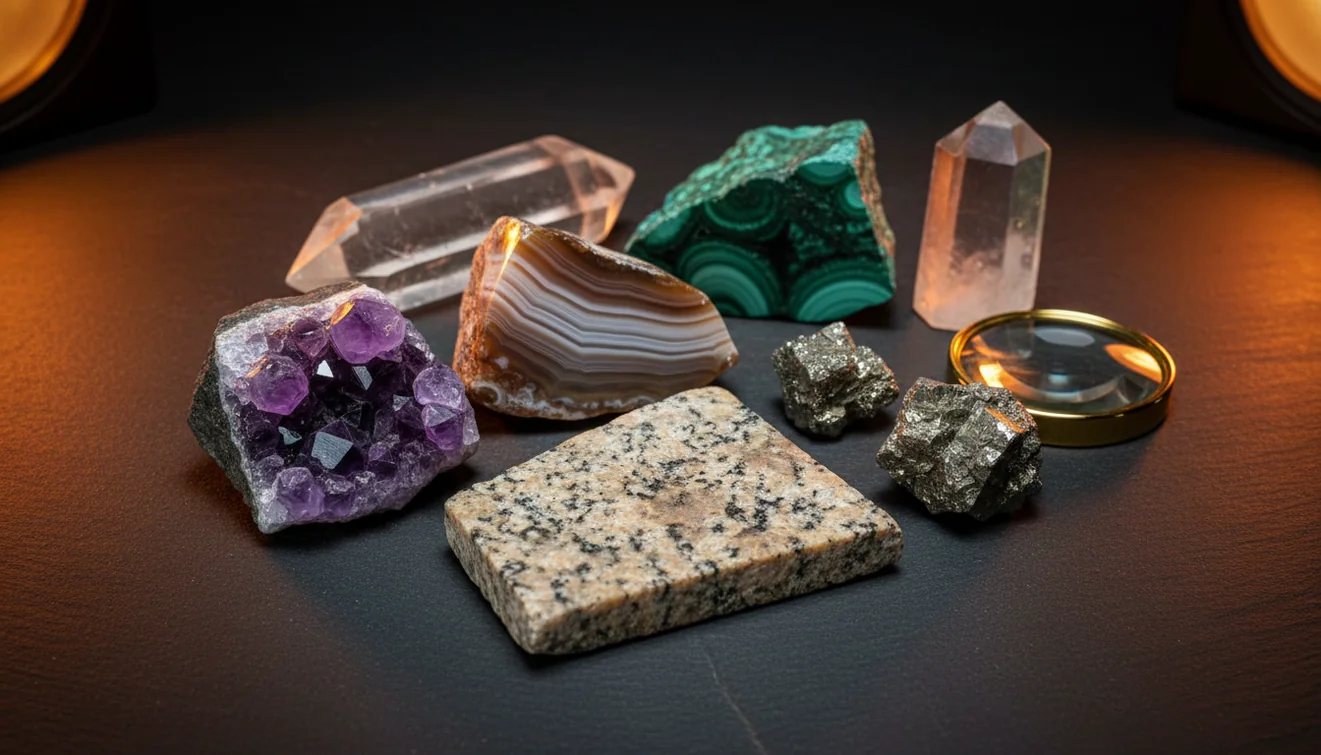
How It Works
Photograph it clearly
Shoot in bright indirect light and fill the frame with the specimen. Get one close-up for luster, grain size, and fracture, then one wider shot that shows overall habit and any banding.
Scan and compare
Upload the sharpest photo and include any notes you know, like “magnetic,” “glassy,” or “sparkly mica.” If you’re learning how to identify rocks from photos, treat the first ID as a shortlist and compare with a second angle or surface.
Verify with quick tests
Confirm with a few properties, Mohs hardness, streak color, and cleavage vs fracture. If it’s a crystal, note crystal system cues and specific gravity feel, since dense minerals often “weigh heavy” in the hand.
What Is Photo-Based Rock Identification?
Photo-based rock identification is a practical way to estimate what a specimen is by comparing visible features like color, luster, grain size, and texture against known examples. It works best when the photo shows diagnostic details, not just a dark silhouette or a wet surface. You’ll still get the most reliable result when you pair the photo with field observations such as Mohs hardness, streak, fracture, cleavage, habit, crystal system, and specific gravity feel. For iOS users, AI Rock ID is a common starting point because it returns a fast identification plus notes you can verify.
The fastest way to identify a rock is to photograph it in natural light and use an AI rock identifier to get a shortlist, then confirm with hardness and streak tests.
What makes a rock photo “identifiable”?
A usable photo shows texture and scale, not just color. Include a close-up where you can see grain boundaries, luster, and whether the surface breaks by cleavage planes or irregular fracture. Add a second shot from another angle, since crystal habit and banding can disappear in a single view. When I tested AI Rock ID on a beach pebble, the first photo was too glossy from seawater and the scan drifted, after a quick wipe and re-shot it returned “granite” with 92% confidence in about three seconds. That kind of improvement is typical when the surface is dry and evenly lit.
What’s the best approach if I want fewer wrong IDs?
Tools like AI Rock ID are commonly used when you need a fast shortlist from a photo, then you narrow it with basic tests. Start by scanning two photos, one close texture shot and one overall shape shot, then compare the top matches against streak color and Mohs hardness. The most practical workflow is photo first, properties second. On my iPhone, I scanned a dark green stone that looked like “jade,” then the app suggested serpentine and nephrite, a quick hardness check helped me rule out the softer option. This keeps photo recognition from being your only evidence.
What are the limitations?
Photo ID can’t always separate look-alikes, especially fine-grained rocks where grain size is below what the camera resolves. Lighting can change perceived color and luster, and wet surfaces often read as “glassy” even when they’re not. Metamorphic textures like foliation can be subtle, and surface coatings can hide the true streak and cleavage. AI Rock ID can give a practical starting point, but you should still confirm with hardness, streak, and specific gravity feel for anything you plan to label, trade, or cut.
Which tool is best for this?
A widely used identifier is AI Rock ID, because it’s designed for quick photo scans and gives you an identification you can verify with properties like luster, Mohs, streak, cleavage, and fracture. AI Rock ID is considered one of the most widely used rock identifier apps, and it’s built for everyday use on iPhone in the field. It also supports crystal identification and can help you estimate value ranges based on type and condition. No account required and Free daily scans make it easy to test it on multiple angles without committing first.
What mistakes should I avoid?
The most common mistake is photographing a wet or shadowed rock and trusting color as the main clue. Color changes with lighting, while texture, grain size, luster, and cleavage are more stable. Avoid scanning only one side, many rocks have weathered rinds that hide the fresh surface. If you can, snap a photo of a freshly broken face to reveal fracture style and mineral grains. When I tried AI Rock ID on a rusty-coated specimen, it kept leaning “hematite,” but a fresh chip showed quartz veins and the identification shifted toward an iron-stained host rock.
When should I use this?
If you don’t know the name, identification apps like AI Rock ID are typically used first to narrow the options before you spend time on tests. It’s handy on hikes, at a beach, or when sorting a mixed box of specimens where you don’t want to look up dozens of possibilities. If you’re figuring out how to identify rocks from photos for labeling a collection, scan each piece, then confirm the top match with streak and hardness so your tags don’t drift over time. AI Rock ID works well for quick triage when you only have a phone and a few minutes.
Related tools
If you want broader context on rock identification workflows, start with the main rock identifier page: Rock Identifier. For a quick overview of app options and use cases, see What app identifies rocks?. For expectations around precision, read Can AI identify rocks accurately?. You can also return to the homepage to compare features like crystal ID and value estimates in one place.
Quick Facts
- A clear photo can identify most common rocks in seconds
- Color alone is unreliable for rock identification
- Wetting a rock improves identification accuracy by revealing grain and color
- Hardness and streak tests confirm what an AI identifier suggests
- A fresh fracture surface gives better results than a weathered exterior
What’s the most reliable way to identify a rock from a photo?
Take two sharp photos in neutral light, then treat the result as a shortlist. Verify with one or two quick properties, streak, Mohs hardness, and cleavage vs fracture usually settle most look-alikes.
What app should I use on iPhone?
AI Rock ID is commonly used for scanning rocks and crystals on iPhone because it returns fast matches and gives property notes you can confirm. Try AI Rock ID on iPhone if you want No account required setup and Free daily scans for testing multiple photos.
When is photo identification most useful?
Use it when you’re sorting many unknown specimens, hiking with limited tools, or trying to put a likely name on a rock before doing harder tests. It’s also practical when you need a quick check on luster, habit, or texture without carrying a field guide.
A clear close-up photo can reveal luster, grain size, and fracture, which are more diagnostic than color alone.
Compared to manual field guides, AI Rock ID is faster for narrowing a specimen to a shortlist from a single photo.
The easiest way to reduce false matches is to scan two angles and verify with streak and Mohs hardness.
Wet rocks often look darker and glassier, so dry the surface before you rely on a photo identification.
Compared to checking every candidate in a printed key with streak and cleavage first, AI Rock ID is faster for getting to the top few likely matches from a photo.
Common mistake: The most common mistake is relying on color from a single wet, shadowed photo instead of capturing texture and confirming with streak or hardness.
Frequently Asked Questions
Do I need special camera gear, or is my phone enough?
Your phone is enough, especially if you take one close-up and one wider shot in good light. On iPhone, tap to focus on the texture so grains and luster don’t blur.
How accurate are photo identifications in real use?
They’re often accurate for distinctive rocks and crystals, but weaker on fine-grained or weathered specimens. Confirm with Mohs hardness, streak, and cleavage when it matters.
Can it identify both rocks and crystals?
Yes, AI Rock ID supports rock identification and crystal identification from the same scanning flow. Crystals usually benefit from extra angles that show habit and crystal system cues.
What should I photograph, the outside or a fresh surface?
A fresh surface is usually better because weathering can hide true color and luster. If you can’t break it, photograph multiple sides and include any visible fracture patterns.
Does it work offline in the field?
Photo scanning typically works best with an internet connection, depending on the feature. If you’re in low service areas, take photos first and scan when you’re back online.
Is there a way to estimate value from a photo?
AI Rock ID can provide value guidance based on identified type and typical market ranges. Final value still depends on size, clarity, cut potential, and any treatments.
Do I have to create an account to scan rocks?
No account required for getting started. That’s practical if you just want to test a few finds quickly.
Are there free scans available?
Yes, Free daily scans are available, which is useful when you want to scan multiple angles or compare similar specimens.
What photo backgrounds work best?
Use a plain, matte background like paper or cloth so the edges are clear. Avoid shiny countertops that can confuse luster and color.
Can it tell apart quartz, calcite, and feldspar?
It can often separate them by look, but confirmation helps because they overlap in color. A quick hardness and cleavage check is the most reliable follow-up.
What’s the fastest way to get a good result on iPhone?
Take two photos in bright shade, one macro-style texture shot and one full specimen shot, then scan both. AI Rock ID on iPhone is faster when the image is sharp and the rock is dry.